FEMS — Creating an Installer Account
1. Creating an Installer Account
You can easily create an installer account for FENECON Online Monitoring yourself. To do this, please follow the steps below:
Step 1:
FEMS Login button on the FENECON website (https://fenecon.de/). Click on the FEMS Login button in the top right-hand corner of the page.


|
|
Step 2:
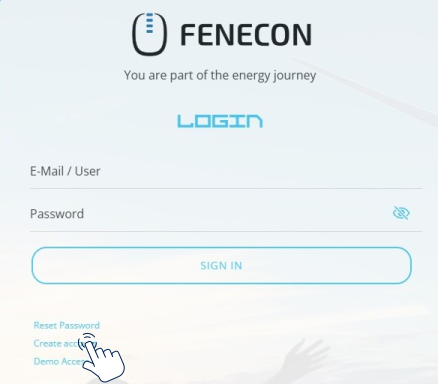
In the login window of the FENECON Online Monitoring (https://portal.fenecon.de/login), click on Create account.
Step 3:
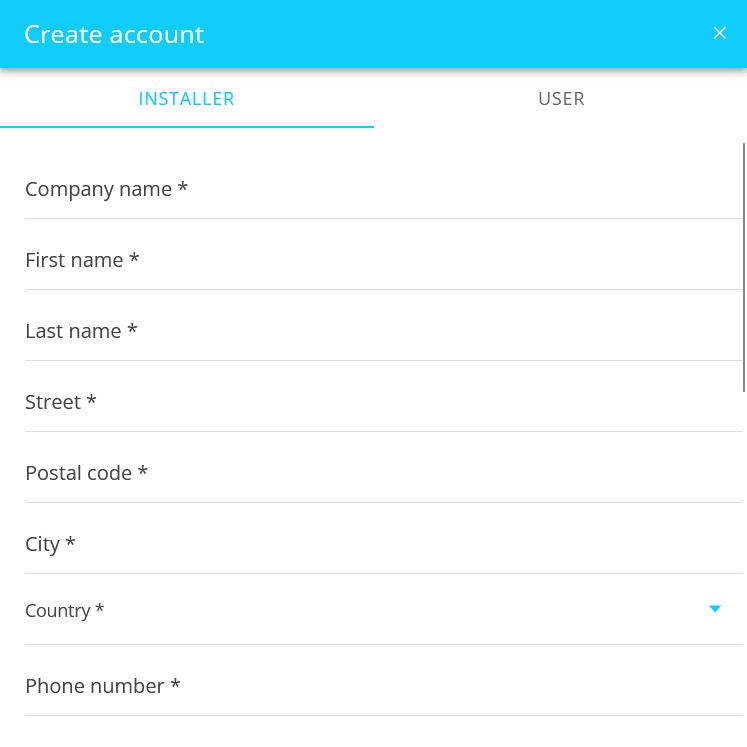
Enter all the required data under INSTALLER.
Step 4:
Check all entries, confirm the entry in the installer directory in addition to the privacy policy and the terms and conditions and then click on CREATE.
Step 5:
Log in to FENECON Online Monitoring with the e-mail and password you specified during the registration process.